
Build an operating room around the team’s procedures and the facility’s infrastructure. Compare compatible systems, reusable accessories, and the ongoing supply and reprocessing work behind each purchase.
Photos show example models. Your clinical and technical teams should approve the exact equipment and its current support.
Jump to equipment +
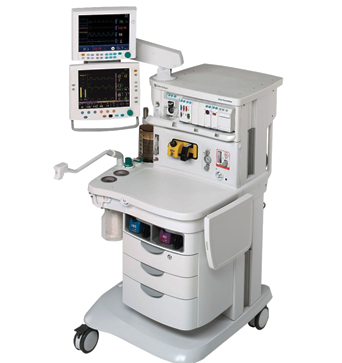
Anesthesia workstations
Compare the machine, monitoring, vaporizers, and breathing system as one package, matched to your facility’s gas and power supplies.
How it works & what to compare
The basics
An anesthesia workstation brings together gas delivery, breathing-system components, and usually a ventilator. Monitoring and vaporizers may be separate parts of the quoted package, so a workstation should be assessed as a complete configuration.
Before you buy
- Confirm gas types, inlet pressure requirements, connectors, scavenging, electrical supply, and specified backup arrangements against the exact model’s instructions.
- Itemize vaporizers, gas monitoring, breathing components, absorber, hoses, sensors, and compatible accessories; do not assume they are included in a photograph.
- Request documented functional and safety testing, maintenance history, and acceptance by the receiving anesthesia and biomedical teams.
Budget for the whole package. Include gas infrastructure, consumables, replacement sensors, maintenance, and training. A low cart price is not a comparison until both offers include the same functional configuration.
Surgical tables and lights
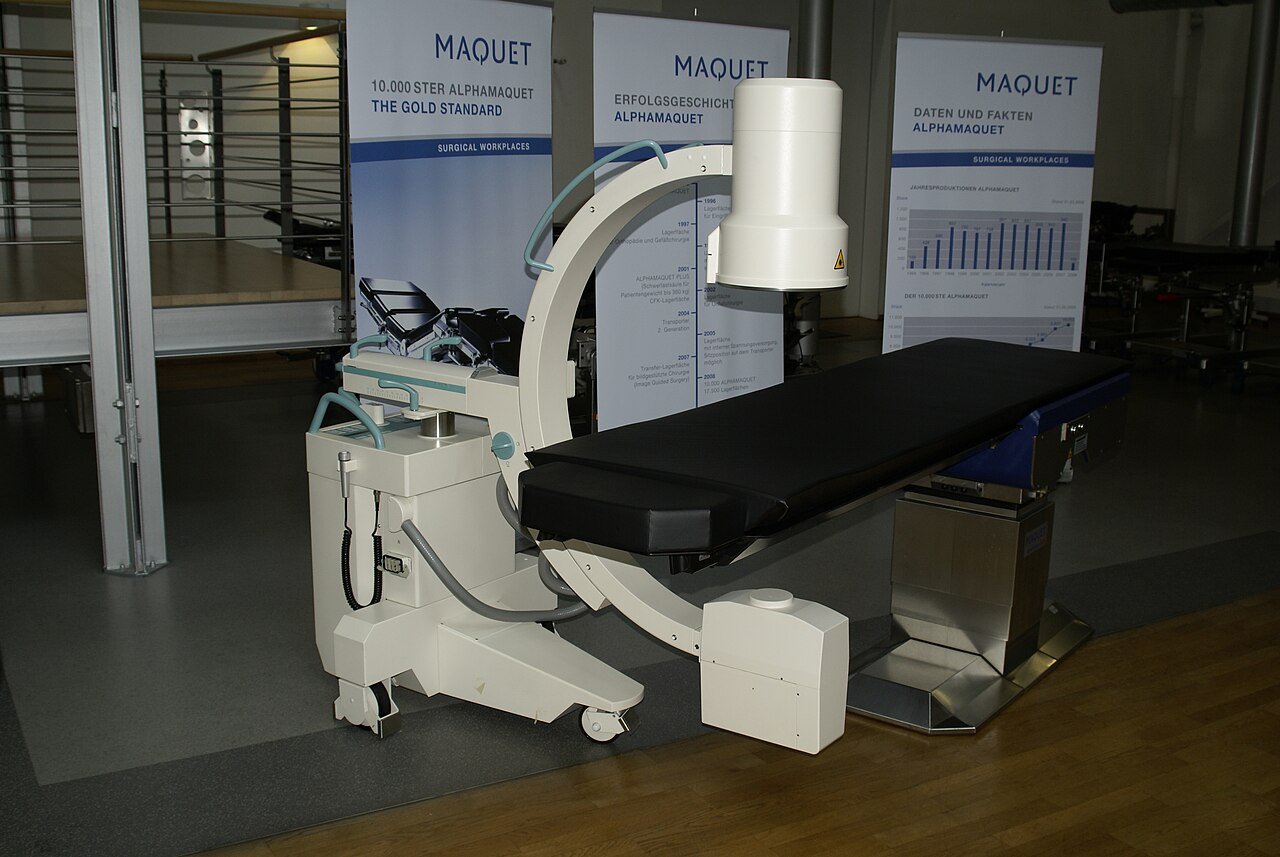
Match positioning, working load, and imaging access to your procedures. Include the attachments and installation work in the price.
How it works & what to compare
The basics
A surgical table supports and positions the patient; surgical lights illuminate the working area. Table movement, accessories, and lighting need to suit the procedures and the room together.
Before you buy
- Confirm safe working load in the intended configuration, including accessories. A maximum-load headline may not apply in every position.
- Itemize mattresses, clamps, rails, armboards, leg supports, controllers, batteries, and charging equipment. Check brakes and all powered movements.
- For lights, ask for an installation survey covering mounting, ceiling height, electrical work, handle reprocessing, and spare parts.
Budget for the whole package. Price the installed table-and-accessory package. Include compatible positioning attachments and any structural work for ceiling-mounted lighting.
Endoscopy systems
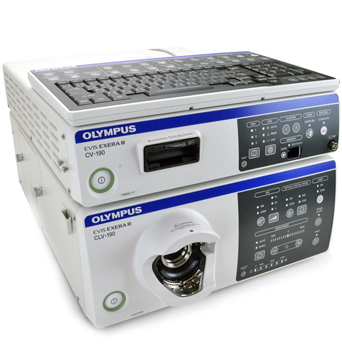
Choose the scope family and reprocessing pathway first. Scope repairs, compatibility, and turnaround can matter more than the processor’s price.
How it works & what to compare
The basics
An endoscope lets clinicians view inside the body. A video system may include a scope, processor, light source, and display. These components must work together, and reusable scopes need their specified reprocessing workflow.
Before you buy
- Obtain a written compatibility list. Ask for scope serial numbers, repair history, inspection results, leak-test records, and representative image quality.
- Budget for the complete reprocessing workflow: trained staff, cleaning accessories, compatible chemicals, water requirements, drying, storage, and documentation.
- If an automated reprocessor is proposed, confirm validation for the exact scope and required connectors. Automation does not justify skipping manufacturer-specified cleaning.
Budget for the whole package. Compare cost per usable procedure, including scope repairs, spare scopes, consumables, and reprocessing. Check current manufacturer notices before selecting an older platform.
Electrosurgical generators
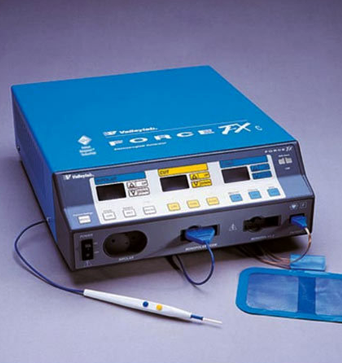
Choose the required energy functions and compatible instruments together. Include the recurring instrument and accessory costs in your comparison.
How it works & what to compare
The basics
An electrosurgical generator supplies electrical energy to compatible instruments for functions such as cutting or coagulation. The available functions depend on the generator, mode, instrument, and accessories—not just the wattage on the label.
Before you buy
- List every handpiece, footswitch, return-electrode system, cable, and instrument by compatible part number.
- Have a qualified biomedical service provider document output and safety checks for the offered generator; a power-on demonstration alone is insufficient evidence of condition.
- Review reprocessing or single-use requirements and the availability of consumables with the receiving team.
Budget for the whole package. Compare generator cost with the price and availability of compatible instruments. Proprietary disposables can change the total cost of a seemingly inexpensive platform.
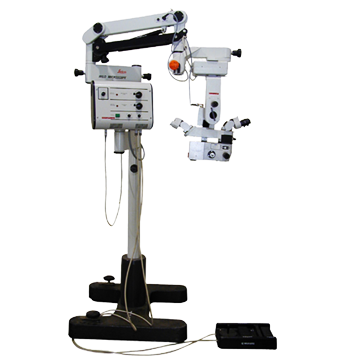
Surgical microscopes
Prioritize clear optics, comfortable positioning, and the right working distance. Camera and teaching accessories should be priced separately when optional.
How it works & what to compare
The basics
A surgical microscope gives the operating team a magnified, illuminated view. The stand, optics, working distance, and viewing accessories affect how it fits a particular specialty and operating room.
Before you buy
- Confirm objectives, eyepieces, magnification, working distance, and illumination requirements with the surgeon; use the exact model’s specification.
- Inspect the optics, focus and zoom movement, stand, brakes, counterbalance, controls, and included power supplies through a qualified service review.
- Check compatible sterile covers, spare illumination components, packing requirements, and availability of repairs at the destination.
Budget for the whole package. Include adapters, camera or teaching equipment, service, and protective freight packaging. Avoid paying for features that cannot be maintained or used by the receiving team.
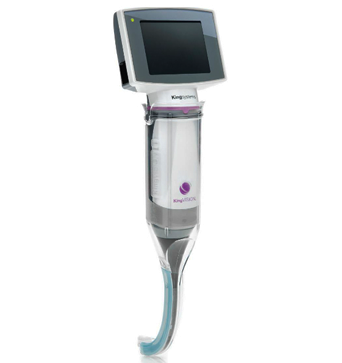
Video laryngoscopes and airway scopes
Compare the complete monitor, cable, and blade combination. Reusable and disposable systems carry different processing and supply costs.
How it works & what to compare
The basics
Video laryngoscopes and airway scopes help clinicians see airway structures. The monitor, blade or scope, and cable form a system; reusable components and disposable parts have different supply and reprocessing needs.
Before you buy
- Verify the complete monitor, cable, blade or scope combination against a manufacturer compatibility chart; similar-looking connectors are not enough.
- List the sizes required by the team and include the right chargers, batteries, protective cases, and compatible accessories.
- Confirm that the facility can follow the full reprocessing instructions for reusable parts. Choose equipment intended for the clinical application, not a general-purpose inspection camera.
Budget for the whole package. Compare the reusable system plus processing and repair costs with a disposable platform’s ongoing supply costs. Include backup equipment in the clinical team’s plan.
Your quote checklist
- Procedure list and approved equipment specification
- Gas, power, room, and mounting requirements
- Complete accessory and consumable list
- Documented testing and receiving-team acceptance
References reviewed October 2, 2026.